
Kohl's - Shopping & More
KohlsShopping
4.845.68K Reviews
- Version
- 26.11.2
- Installs
- 10.00M
- Age Rating
- Everyone
Screenshots



Our Review of Kohl's - Shopping & More
 Analysis by Appyee
I tend to judge shopping apps by what happens after the first browse. Finding a sweater or a sale banner is easy; the useful test is whether the app helps me make a sensible purchase when I am comparing sizes, checking a household list, or trying to avoid a last-minute trip to a store. After spending time with Kohl's, I found it most useful as a mobile companion for people who already shop at Kohl’s and want fashion, beauty, home items, and everyday deals in one place.
It is a free shopping app from Kohls, available for Everyone, and it has built a sizeable audience: more than ten million installs and an average rating of 4.8 from roughly 347 thousand ratings. Those figures suggest that the app is familiar and dependable for many shoppers, although popularity alone does not remove the need to check product details carefully before ordering. The current version is 26.8.5, and it runs on Android 9 or later.
How it fits into a shared household shopping routine
The most convincing use case for me is a shared household where different people buy different things but still need to coordinate. One person may be looking for clothing, another may be replacing a kitchen item, and someone else may be checking beauty products. Instead of opening separate retailer apps for each category, I can use this one as a starting point and keep the browsing in one familiar environment.
A realistic example is preparing for a family event. I might search for an outfit, compare a few home items needed for the gathering, and look through current offers before deciding what belongs in the same shopping session. The convenience is not that every decision becomes automatic; it is that the app reduces the number of places I need to check. I still slow down at the product page, because a discount is only useful if the size, color, material, and delivery expectations suit the actual need.
This shared-device situation also reveals an important boundary. A shopping app is not a household organizer by itself. If several people use the same phone, I would not assume that one person’s browsing, saved items, or checkout choices should represent everyone else’s preferences. I treat the device as a viewing tool and discuss the final purchase separately, especially when the order affects a partner, roommate, or child.
That approach works well for a family member who wants to send ideas to another person without handing over complete control of the account. It is less comfortable when several people need completely separate shopping histories or independent payment arrangements on one device. In that case, a browser with separate profiles, or separate devices, can create clearer boundaries than relying on one shared app session.
Starting with the right shopping goal
The broad range of clothing, beauty, home products, and other merchandise is convenient, but it can also make casual browsing expand quickly. I get better results when I open the app with a specific goal: find a particular type of item, compare options for a room, or check whether a planned purchase is worth making today. Without that goal, promotional areas can pull my attention toward products I was not planning to buy.
For household shopping, I recommend making a short list before searching. It sounds simple, but it changes how I use the app. Instead of treating every deal as a reason to buy, I can ask whether the item solves something already on the list. This is especially helpful with home goods, where attractive products can be easy to add but harder to justify once the excitement of browsing fades.
The app’s free price makes it easy to try without committing to a subscription. That matters for occasional shoppers who want a mobile way to browse rather than a permanent shopping habit. I would still keep notifications and promotional messages in perspective: a free app can save time, but it can also encourage more frequent checking than a person actually needs.
Account boundaries before someone else uses the phone
When I use a shopping app on a shared phone, I think about account boundaries before I think about convenience. I would avoid leaving the checkout screen open, and I would make sure the person placing the order is the person reviewing the final details. This is not a criticism specific to Kohl’s; it is a sensible habit whenever a retail account may contain personal information or purchase history.
I also would not let a child use an adult’s shopping session as if it were a toy catalog. The Everyone age rating means the app is broadly suitable from a content perspective, but that does not mean every purchase decision is appropriate for every age. A young user can help choose colors or styles while an adult handles the account, budget, delivery choices, and final confirmation.
For teenagers, the best arrangement depends on the household. Some families may be comfortable with supervised browsing and a shared list of ideas. Others may prefer that a parent or guardian do the searching and place the order. The app can support the browsing part of that conversation, but I would not treat the presence of an age rating as a replacement for family judgment.
Another practical boundary is separating “looking” from “buying.” I often browse products first and make the purchase later, after checking whether the item is genuinely needed. That pause is useful when multiple people share responsibility for household spending. It gives everyone a chance to confirm the size, quantity, color, and purpose before an order is submitted.
Coordinating clothing, beauty, and home purchases
The category mix is one of the app’s strongest household advantages. A clothing search may be followed by a look at beauty products or home items without switching retailers. I find that useful when I am preparing for a trip, refreshing a bedroom, or trying to combine personal and household errands into one planning session.
There is a trade-off, though. Different categories require different kinds of checking. Clothing needs attention to fit, cut, fabric, and availability. Beauty products may require more care with shade, ingredients, or personal suitability. Home products raise questions about dimensions, quantity, and whether the item matches the space. The app brings these categories together, but it does not remove the need for category-specific judgment.
My preferred workflow is to use the app for discovery, then review each candidate as if it were a separate purchase. For apparel, I compare the available size information and think about whether the cut is forgiving or fitted. For home products, I check measurements against the actual room rather than relying on a photograph. For beauty items, I avoid treating a promotional image as a guarantee that the color or finish will look the same in person.
This is also where a traditional website or an in-person visit can sometimes be better. If I need to feel fabric, judge a color under normal lighting, or confirm the scale of a home item, a physical store offers information a phone screen cannot. The app is strongest when I already understand what I need or when I am comfortable making a decision from written details and images.
For a shared household, I would keep coordination simple. One person can collect possible items, then show the shortlist to the people affected by the purchase. That avoids the common problem of one shopper assuming that everyone wants the same thing. It also means the app becomes a useful planning tool rather than the place where family disagreements happen silently through separate carts.
Deals are helpful, but they need a deliberate check
The app is built around shopping deals and discounts, and that can be genuinely useful when I am already planning a purchase. A reduced price may make it easier to replace something needed for the home or complete an outfit without visiting several retailers. I appreciate having promotional opportunities visible while I browse instead of needing to search for every offer separately.
My caution is that a deal can distract from the total decision. I look at the final cost, the usefulness of the item, and whether I would still want it without the promotional framing. For a household budget, this distinction matters: saving on an unnecessary item is not the same as spending less on something necessary.
Another small but valuable habit is comparing similar products within the app rather than selecting the first discounted result. A lower price may come with a different size, material, quantity, or design. When shopping for several people, I also check that I have not confused an item intended for one household member with a similar-looking item intended for another.
I would not choose Kohl’s as my only research tool for every purchase. A price comparison site may be better when the main goal is finding the lowest price across many retailers. A specialist store may provide deeper technical information for a particular product category. Kohl’s makes more sense when I value a broad department-store selection, recognizable categories, and the convenience of checking offers in the same shopping environment.
What the app feels like for different ages
For an adult who already knows how to shop online, the app is straightforward to understand. The familiar retail structure makes it easy to move from browsing to evaluating an item, and the broad catalog gives the household a shared place to start. Someone who rarely shops through a phone may need a little guidance, particularly around reviewing item details before moving toward checkout.
Older family members may appreciate the ability to browse without walking through a store, but small text, dense product pages, or fast-moving promotional content can make mobile shopping tiring. I would help by narrowing the search and reviewing the important details together rather than assuming that a simple-looking product image tells the whole story.
For children, I see the app mainly as a supervised catalog. They can express preferences about clothing or room items, but an adult should remain responsible for account use and purchases. The Everyone rating is reassuring about general content suitability, yet it does not answer questions about household budgets, personal data, or whether a child is ready to make an independent retail decision.
Trust also matters between adults. If a partner or roommate uses the same phone, I would be clear about whose account is active and who is responsible for the order. That may sound obvious, but shared devices make small assumptions surprisingly easy. A family can avoid confusion by agreeing that browsing is open to discussion while checkout belongs to the person who owns the account or controls the household purchase.
Where it beats ordinary browsing, and where it does not
Compared with opening a mobile browser and visiting a retailer’s website, a dedicated app can feel more convenient for repeat shopping because it keeps the experience centered on one retailer. I find that useful when I want to return to the same categories or check current offers without starting from a blank browser tab.
Compared with a general marketplace, Kohl’s feels more focused on its own department-store range rather than presenting an enormous mix of unrelated sellers. That can make the browsing experience less chaotic, although it also means I should not expect the same breadth as a marketplace that aggregates products from many sources.
Compared with shopping in person, the app wins on preparation and convenience. I can browse from home, build a shortlist, and coordinate with someone who is not beside me. The store wins when touch, fit, color, immediate inspection, or personal assistance is central to the decision. I use the app as a complement to physical shopping, not as proof that a store visit is never worthwhile.
Compared with a retailer-specific app focused on one narrow category, Kohl’s has the advantage of variety. If I am buying only specialized beauty products or technical home equipment, a specialist retailer may offer more detailed guidance. If I am combining clothing, beauty, and home shopping, the wider Kohl’s selection is more practical.
Version, access, and everyday practicality
The current release is version 26.8.5, and the minimum operating system is Android 9. That makes the app accessible to many existing Android phones, though anyone using an older device should check compatibility before planning around it. I like seeing a clear version requirement because it helps me decide whether an older household phone is suitable for shared shopping.
Because the app is free, trying it is low risk from a purchase standpoint. I would still consider the practical cost of storage, mobile data, and attention on an older phone. If a shared device is already crowded with apps or has limited space, a mobile browser may be the simpler choice for occasional shopping. For regular Kohl’s shoppers, the dedicated experience is easier to justify.
I also prefer using a stable connection when comparing several products or reviewing a prospective order. Shopping decisions are easier when images and details load properly, especially for clothing and home items where visual differences matter. If I am in a hurry or using unreliable mobile data, I would postpone the final decision rather than rely on incomplete information.
My household verdict
After using it as both a personal shopping tool and a shared household reference point, I see Kohl’s as a good fit for people who want one free app for browsing fashion, beauty, home goods, and related retail categories. Its real strength is not simply the presence of discounts; it is the way a broad Kohl’s shopping trip can be planned from a phone and discussed with other people before money is spent.
I would recommend it to an adult or supervised teenager who already shops at Kohl’s, to families coordinating several types of purchases, and to anyone who prefers making a shortlist at home before deciding whether to buy. The high average rating and large install base give it a reassuring level of adoption, while Kohls has kept the app focused on its own shopping experience rather than turning it into a general-purpose marketplace.
I would skip it if I mainly need cross-retailer price comparison, specialist product advice, or the certainty of inspecting an item in person. I would also avoid treating one shared account as a substitute for clear household rules. The app can help people coordinate, but it cannot decide who should pay, which products suit a child, or whether a discount fits the family budget.
My final advice is to use it with a short list, separate browsing from checkout, and review each category according to its own risks. That simple discipline lets the app do what it does well: bring a wide Kohl’s selection and current shopping opportunities into a convenient mobile space without allowing the convenience to make the decision for you. It works best when the app supports household judgment rather than replacing it.
Privacy and Permissions
See what permissions an app requests and how it handles your data.
- Location
- approximate location (network-based), precise location (GPS and network-based)
- Phone
- read phone status and identity
- Photos/Media/Files
- read the contents of your USB storage
- Storage
- read the contents of your USB storage
- Camera
- take pictures and videos
- Microphone
- record audio
- Wi-Fi connection information
- view Wi-Fi connections
- Device ID & call information
- read phone status and identity
- Other
- view network connections, expand/collapse status bar, full network access, reorder running apps, draw over other apps, control vibration, prevent device from sleeping, Google Play license check, read Google service configuration
Verdict
Strengths of Kohl's - Shopping & More
- Easy access to weekly deals, coupons, and promotional offers.
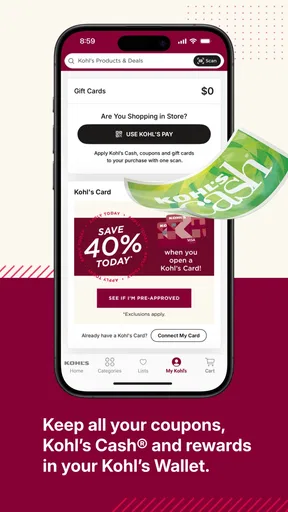
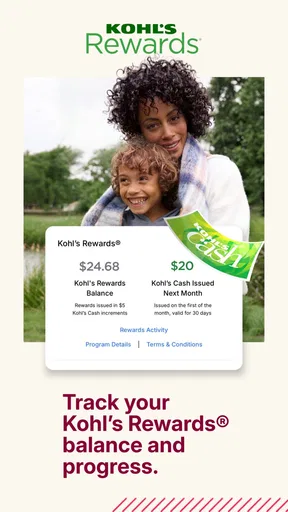
- Kohl’s Cash and Rewards balances are conveniently visible in the app.
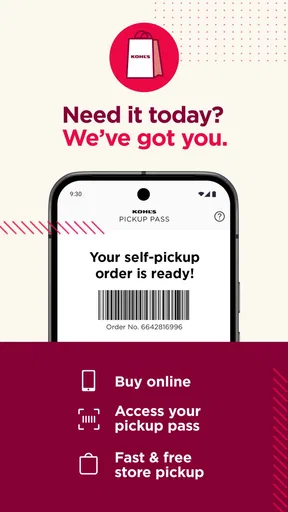
- In-store pickup options can make online orders faster to collect.
- Product reviews and ratings help compare items before purchasing.
- Saved payment and shipping details speed up repeat purchases.
Limitations of Kohl's - Shopping & More
- Some discounts require careful coupon and eligibility checking.
- Popular sale items may sell out quickly, especially during major promotions.
- App performance can vary depending on connection quality and device.
- In-store inventory information may not always be completely accurate.
- Frequent promotions can make final prices and savings harder to compare.
Similar Picks in This Category
View All
SHEIN-Shopping Online
Roadget Business PTE. LTD.4.8

Amazon Shopping
Amazon Mobile LLC4.4


Mercado Libre: Compras online
Mercado Libre4.8

Wish: Shop and Save
Wish US Holdings LLC4.7

Alibaba.com - B2B marketplace
Alibaba Mobile4.4
Frequently Asked Questions
What can I do with the Kohl’s - Shopping & More app?
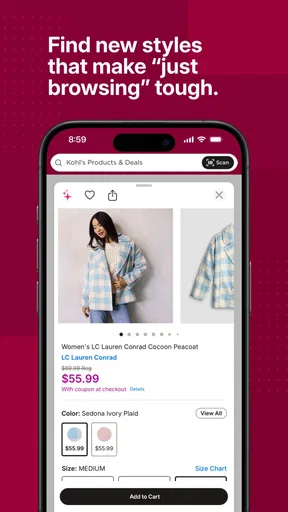
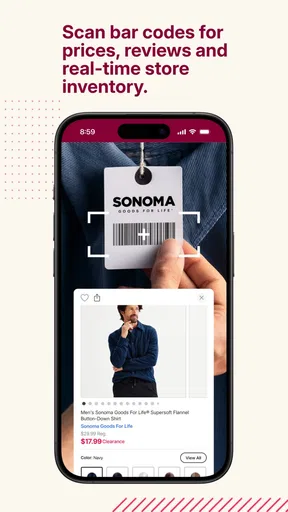
The Kohl’s app is designed to manage most of your shopping in one place. You can browse clothing, shoes, beauty products, home goods, gifts, and seasonal items, check product details and customer reviews, and place orders for delivery or pickup when available. The app also lets you view promotions, manage your Kohl’s Cash and Rewards, save payment information, track orders, and locate nearby stores.
Does the Kohl’s app offer coupons, Kohl’s Cash, and Rewards benefits?
Yes. The app brings many Kohl’s savings tools together, including eligible coupons, promotional offers, Kohl’s Cash, and Kohl’s Rewards information. After signing in, you can usually view available offers and apply qualifying discounts during checkout. However, not every promotion works on every product, and some offers have exclusions, minimum purchase requirements, or specific redemption dates, so it is important to read the terms before completing an order.
Can I order items for store pickup through the Kohl’s app?
In many locations, the app supports convenient fulfillment options such as shipping, Buy Online, Pick Up in Store, and sometimes other pickup services, depending on the item and store. Product pages generally show whether an item is eligible and provide an estimated availability time. Inventory can change quickly, so pickup details should be confirmed in the app before traveling to the store.
Is it safe to make purchases and save payment information in the Kohl’s app?
The Kohl’s app is intended to provide a secure shopping experience, including account sign-in, checkout, order management, and payment processing. You can choose whether to save payment details for faster future purchases, but this is optional. For better protection, use a strong unique password, enable device security, avoid signing in on shared devices, and review your account regularly for unfamiliar orders or changes.
Do I need a Kohl’s account to use the app?
You can often browse products, view prices, check store information, and explore promotions without creating an account. However, signing in or registering provides access to more useful features, including order history, saved items, Kohl’s Rewards details, Kohl’s Cash tracking, personalized offers, faster checkout, and shipment updates. If you shop regularly at Kohl’s, an account makes the app considerably more convenient to use.
